From connecting your shop to Spryte speaking first
Connect your Etsy shop, let Spryte read it and answer a few goal questions. Then Spryte speaks first, with what needs you as a card.
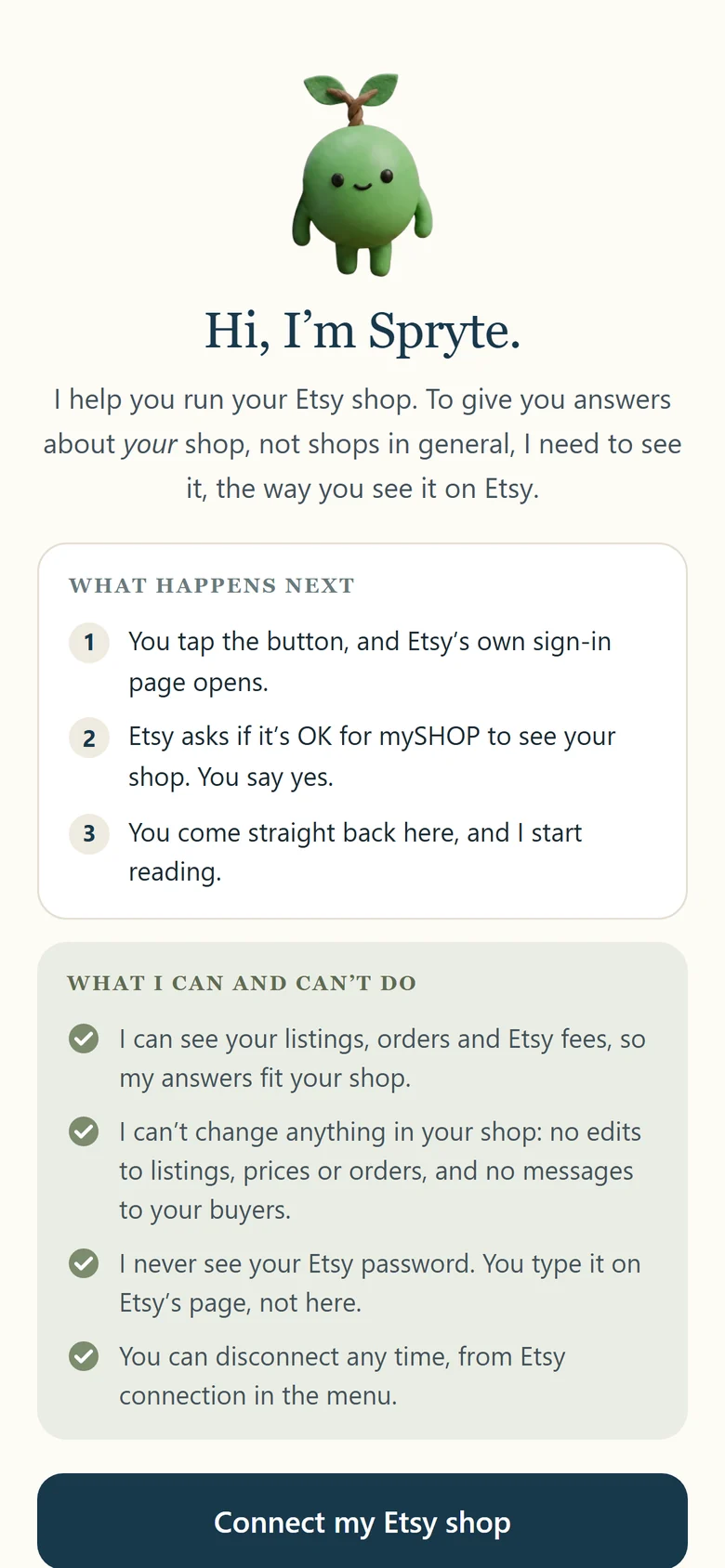
1. Connect your Etsy shop
You connect through Etsy's own sign in page, say yes, and come straight back. You type your Etsy password on Etsy's page, never in mySHOP.
Spryte can see your listings, your orders and your Etsy fees. It can't change anything in your shop: no edits to listings, prices or orders, and no messages to your buyers. You can disconnect any time from Etsy connection in the menu.
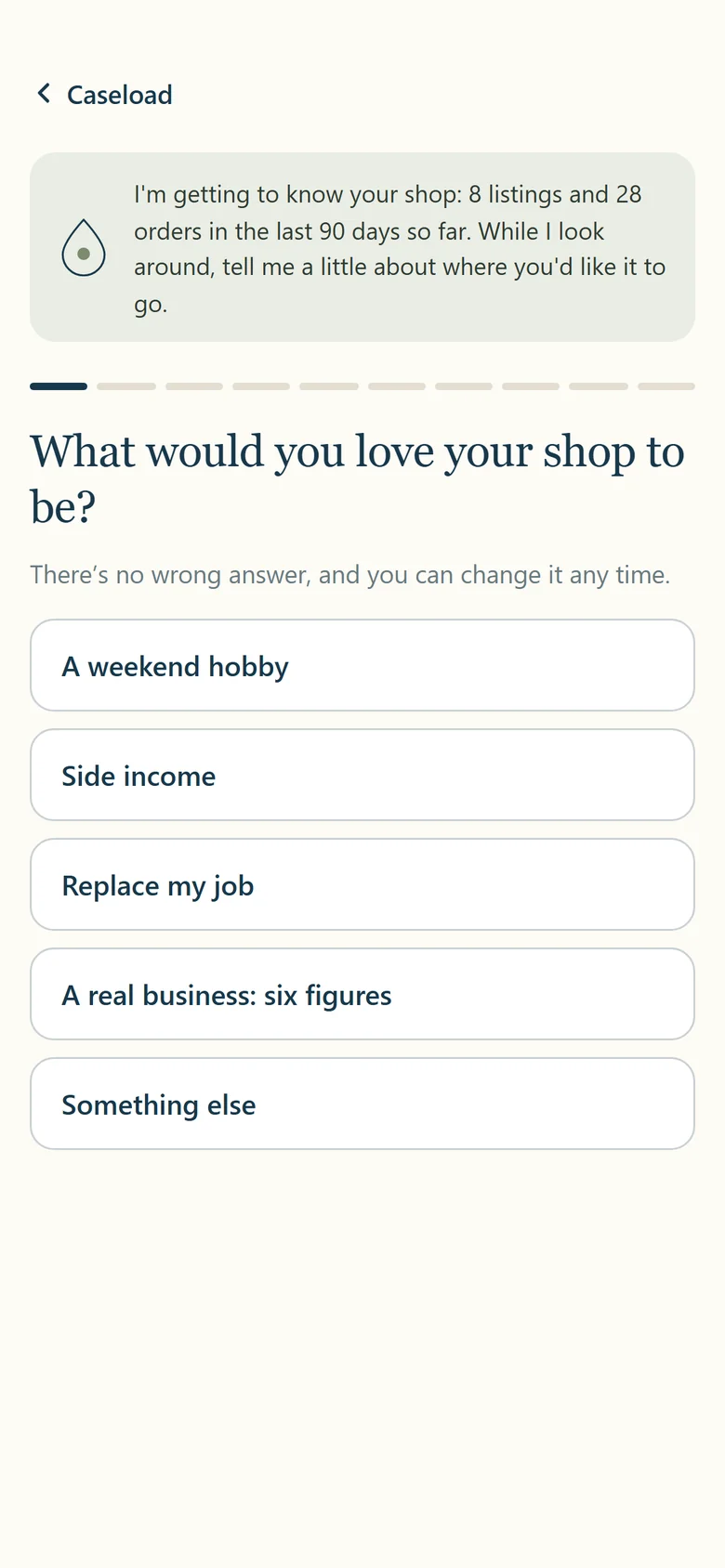
2. Spryte reads your shop, while you tell it your goals
The first read takes a few minutes. While it runs, Spryte asks a few short questions: what you would love your shop to be, your busy months, and how often you want a suggestion.
At the end you pick the voice Spryte talks to you in, from four.
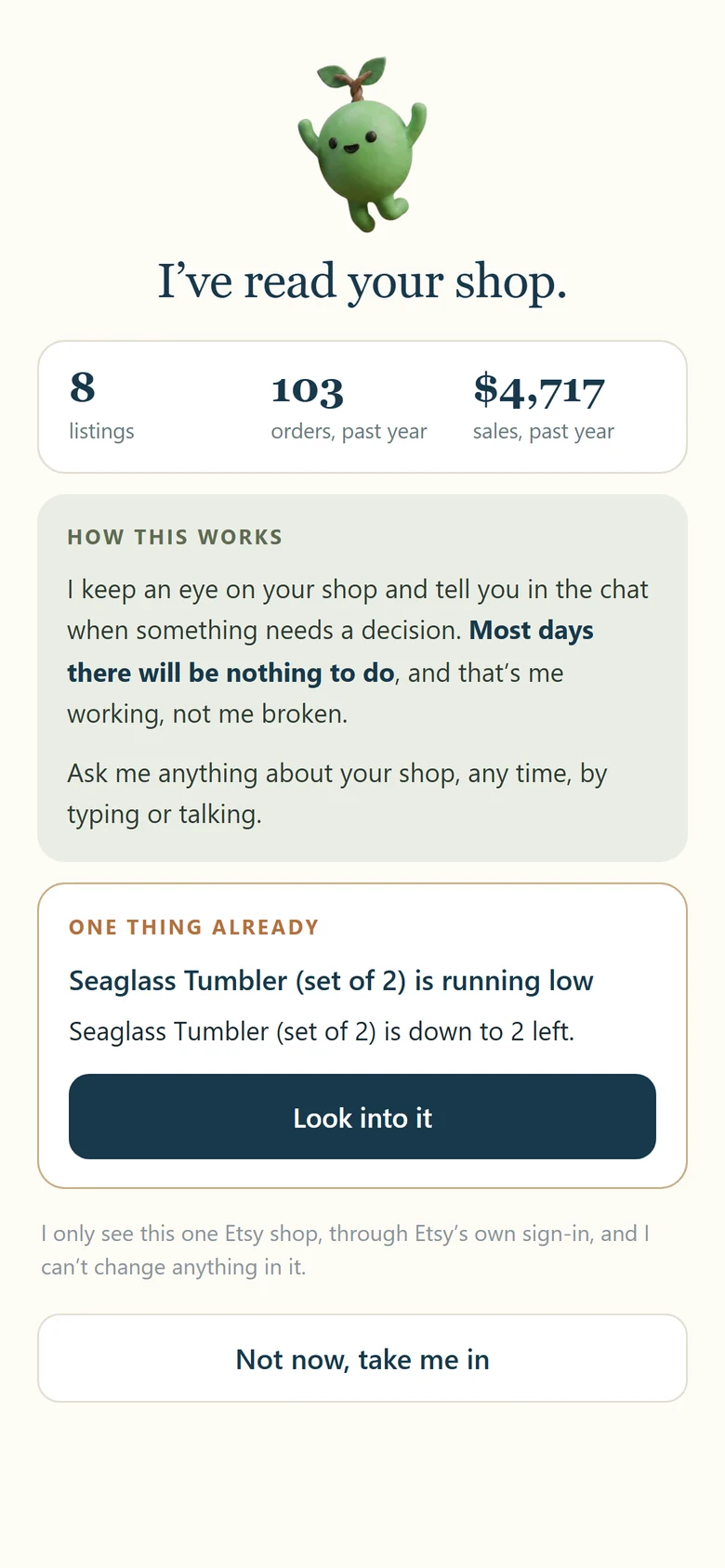
3. "I've read your shop"
Spryte tells you how it works and shows the first thing that needs you, if there is one. Then you are in the chat.
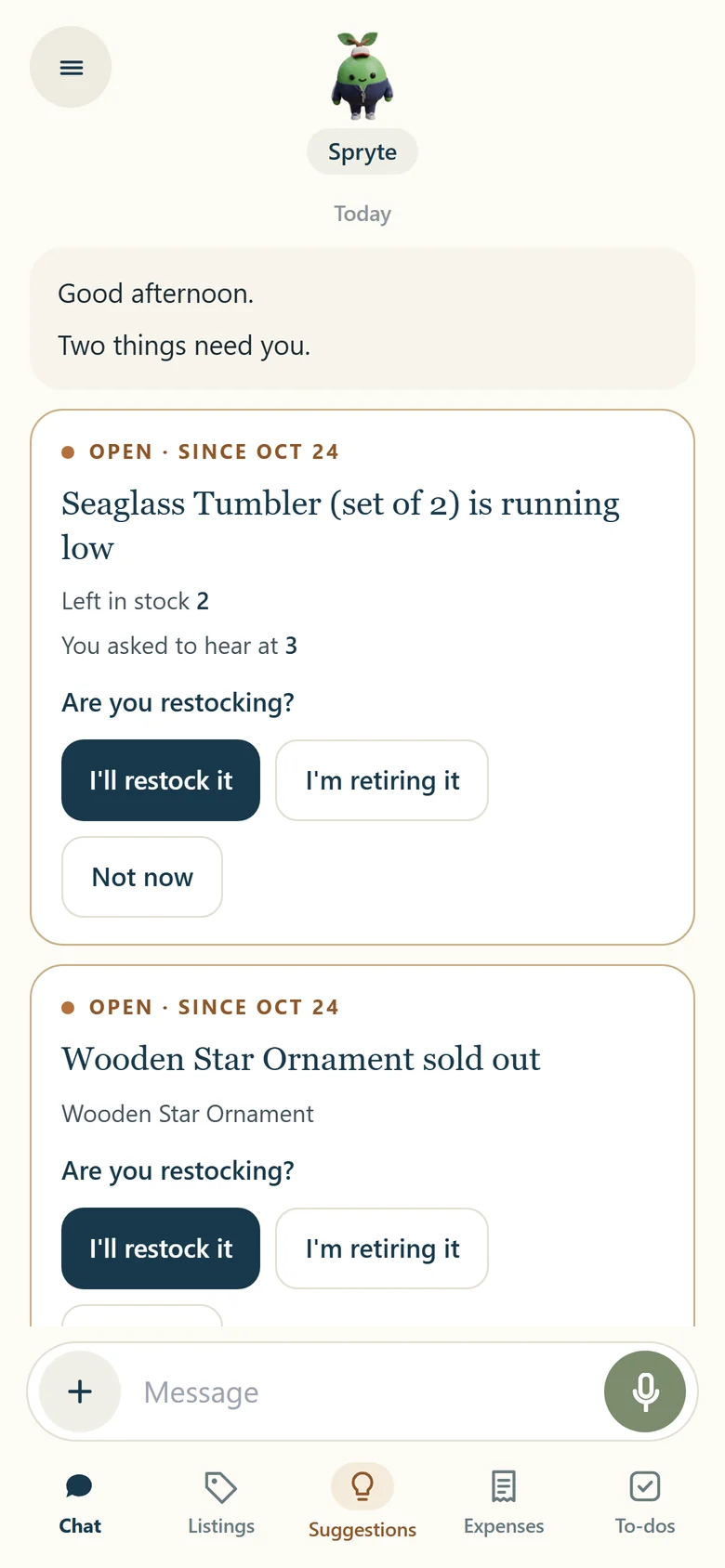
4. Spryte speaks first, with cases as cards
Each time you open the app, Spryte says hello and shows anything that needs a decision as a card: a listing that sold out, stock running low, a listing that stopped showing, sales slowing down.
Each card shows what Spryte saw and asks one question.
5. Answer with a tap, or say "Not now"
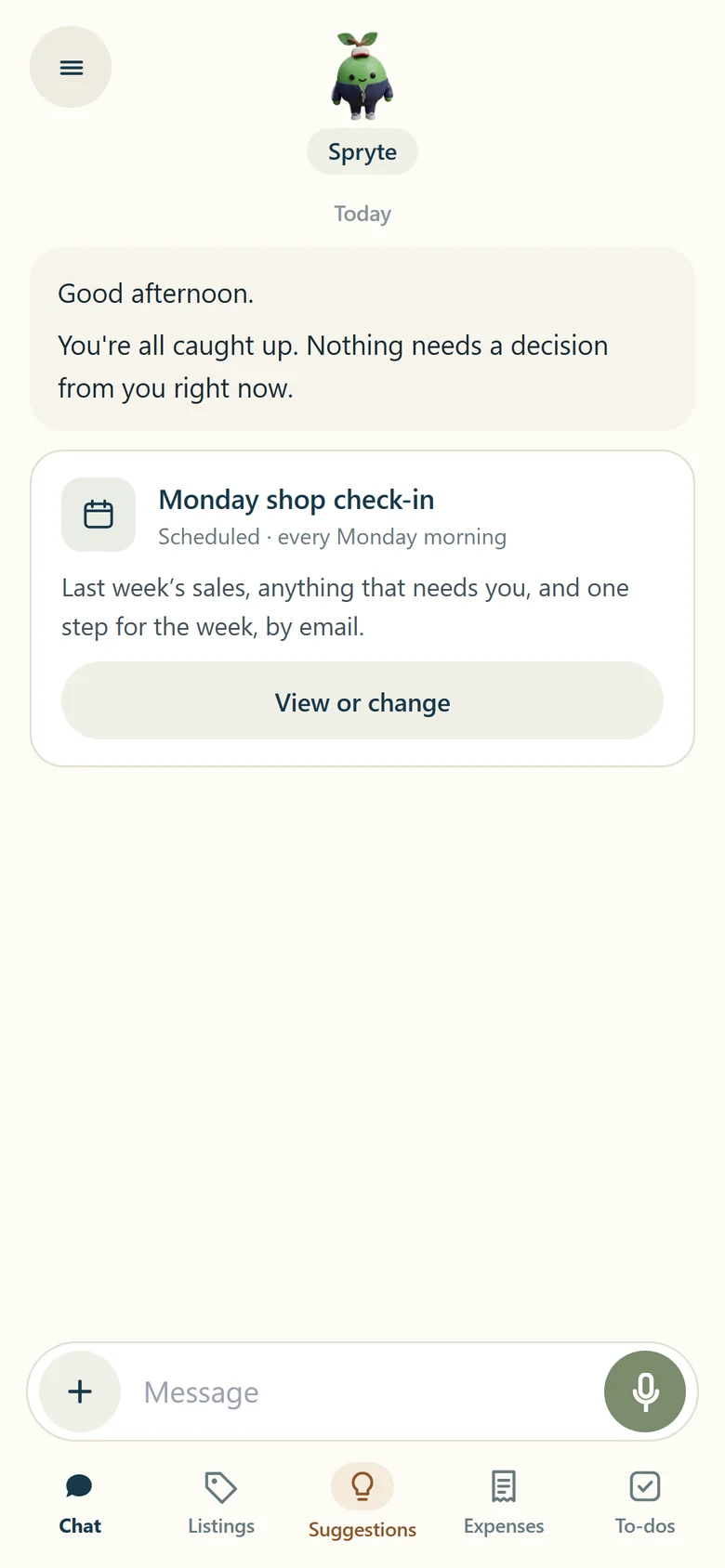
Pick an answer like "I'll restock it" and Spryte checks on it for you, or "Not now" and it comes back in a few days. When nothing needs you, Spryte says you're all caught up.
Spryte never changes your Etsy shop. You do the work, and Spryte keeps track.
6. To-dos you said yes to
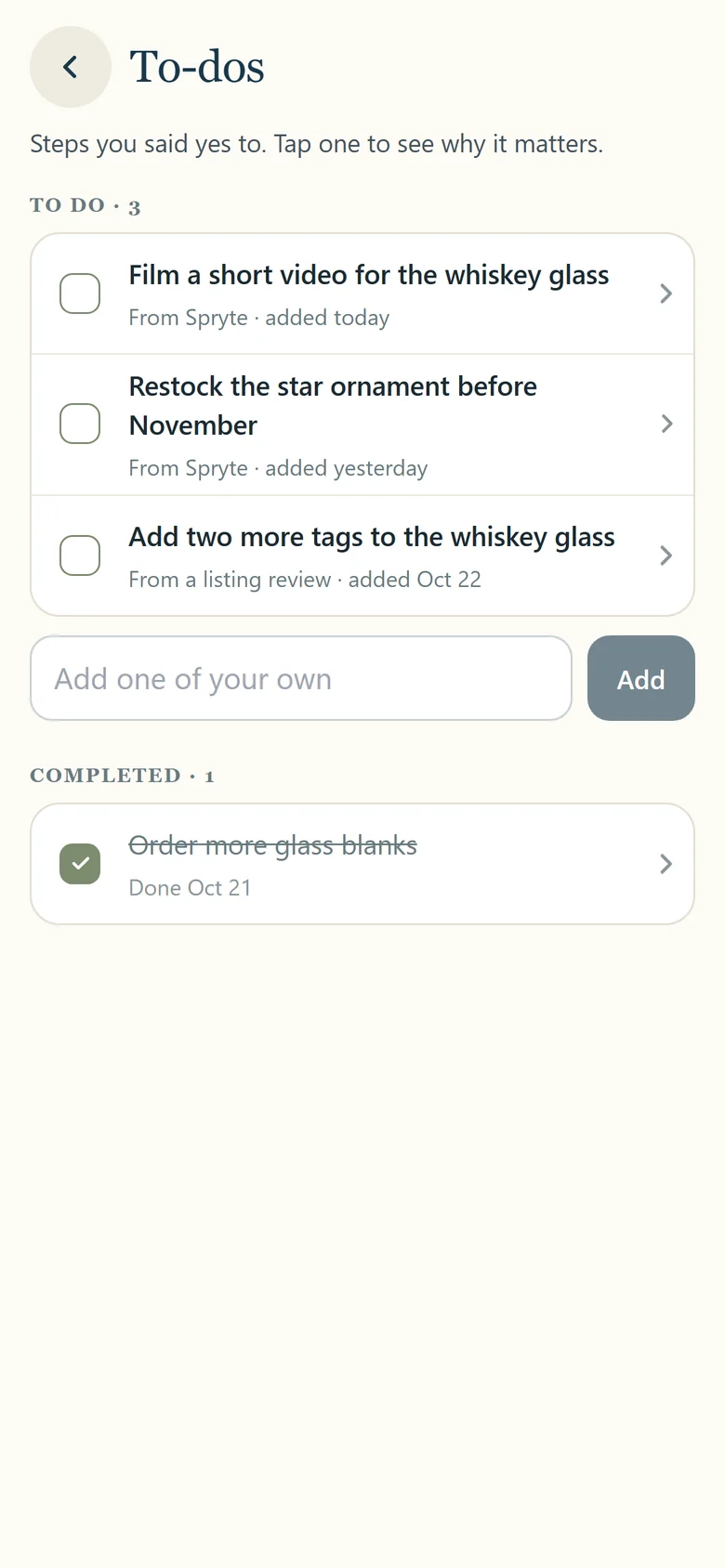
When Spryte suggests a next step, it asks before adding it to your to-dos. Tap one later to see where it came from, or ask Spryte about it.
7. Expenses by chat, voice or receipt photo
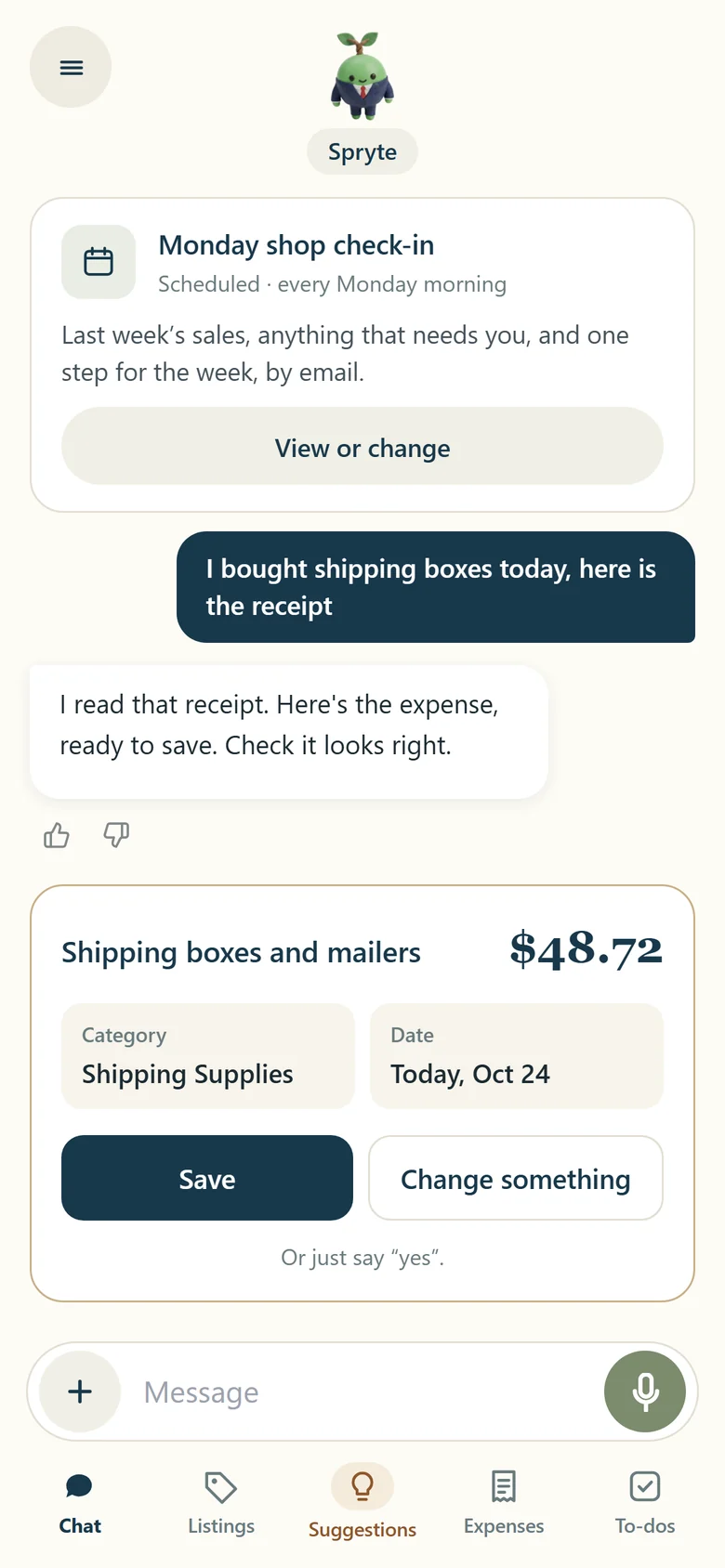
Say what you spent, or snap a receipt on Expenses. Spryte fills it in for you to check, and nothing is saved until you tap Save. To change one later, just ask.
Want the numbers on one sale first? Try the free Etsy fee calculator.
What is a case in mySHOP?
A case is one thing in your shop that needs a decision from you, like a listing that sold out or stock running low. Spryte shows it as a card in the chat with what it saw and one question, and you answer with a tap. When nothing needs you, there are no cards and Spryte says you are all caught up.
Screens shown with a sample shop. Not affiliated with Etsy, Inc.