Stop running your Etsy shop alone.
Spryte is your personal coach who has actually read your shop. Every order, every listing, every fee. Ask anything and you get a straight answer and the one thing to do next, plus a clear view of what you really keep.
7 days free · Connect with Etsy's own sign in · Cancel in two taps

Etsy gives you the numbers. Nobody tells you what they mean.
Views are up. Sales aren't.
You've redone the photos, the title, the price. Still nothing. Was it ever the listing?
A listing gets deactivated.
The email doesn't say why. You find the policy page, read it twice, and you're still not sure what you did.
Everyone says "get ready for the busy season".
Last year's rush is a blur. You'd like to stock up before it this time, not in the middle of it.
You could pay a coach by the hour. You could learn to love spreadsheets. Or you could ask someone who has already read every order and listing in your shop.
ChatGPT has never seen your shop. Spryte has.
Ask a general AI about your Etsy shop and it guesses from forum posts. Spryte answers from your numbers: your prices, your sell-outs, last year's November. Same question, asked both ways.
“The star ornament keeps selling out. Should I charge more for it?”
“Great question! There are several factors to consider when pricing a popular item. Selling out may indicate demand exceeds supply, which could support a price increase. However, raising prices could affect conversion. Consider testing a small increase, improving your photos, bundling, or running a promotion. Ultimately the right price depends on your costs, your competitors and your goals.”
Typical answer from a general assistant. It has no idea what you charge.
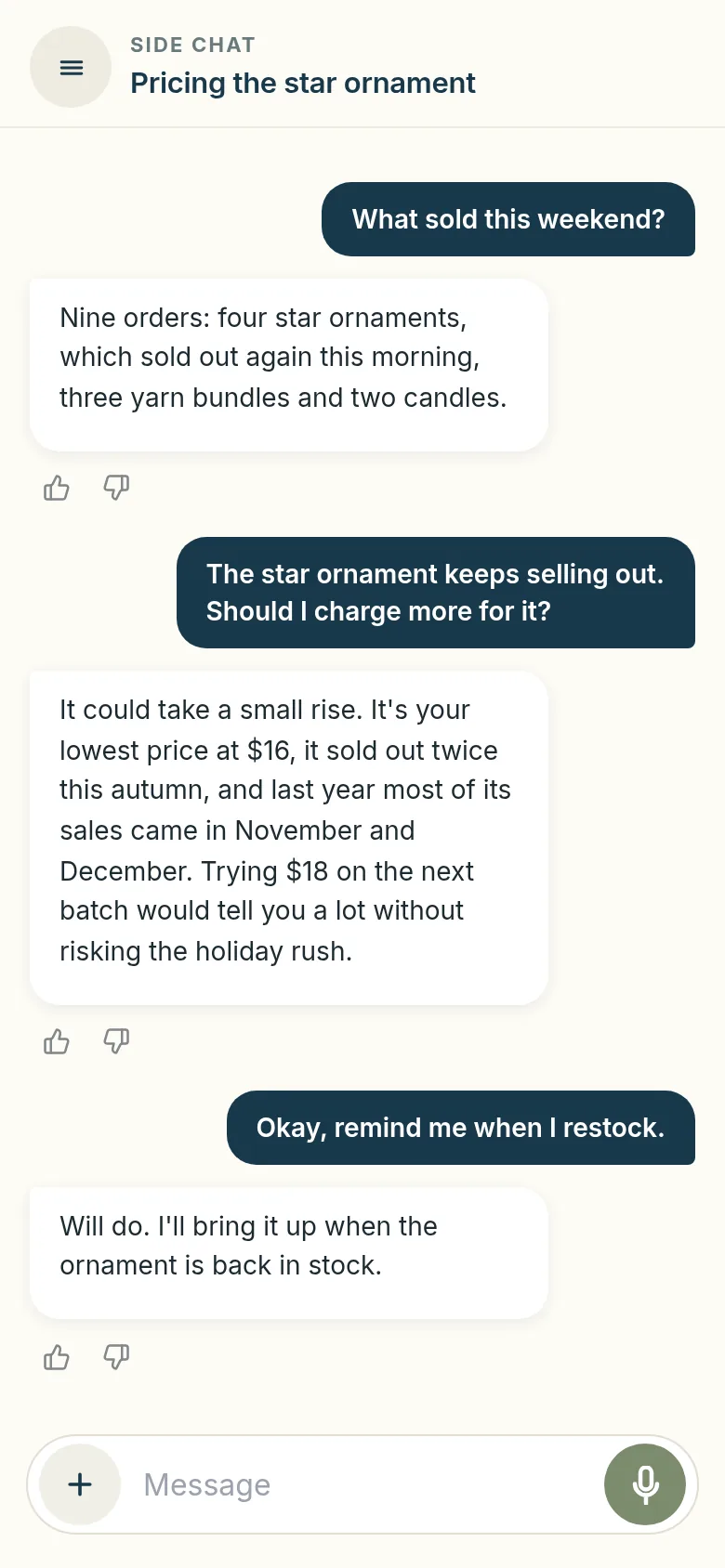
Spryte, in the app. It already knew the price, the two sell-outs and when the ornament sells. Sample shop, not a real seller's.
Spryte reads your shop through Etsy's own sign in. It can't edit a listing, change a price or message a buyer. It tells you what to do; you decide whether to do it.
Receipts and expenses, handled.
Etsy knows what came in. Only you know what the boxes, the postage and the glass blanks cost you. Put a cost in by photo, by typing or by talking, and check it before anything is saved.
Photograph it, or send the PDF
Snap a paper receipt with your phone, pick a photo you already took, or choose the PDF invoice sitting in your email. mySHOP reads the receipt and fills in who you paid, the total, the date and a category. You check it against the receipt and tap Add it.
Or just say what you spent
Type it to Spryte, or tap the microphone and say it out loud: I spent forty two dollars on glass blanks today. Spryte puts up a card with the name, the amount, the date and the category. Tap Save, or just say yes. Change your mind and Undo is on the card.
Costs that come back, entered once
A subscription or an ads budget goes in once as every month, every 3 months or every year, and counts towards every month it covers. A single purchase counts on the day it happened. The plus button under the chat opens your expenses whenever you want to add one yourself.
Then you see what you kept
Your sales, less Etsy's fees, ads and shipping, less the costs you logged. That is the profit figure mySHOP shows you, and the one Spryte answers from when you ask how much you kept this month.
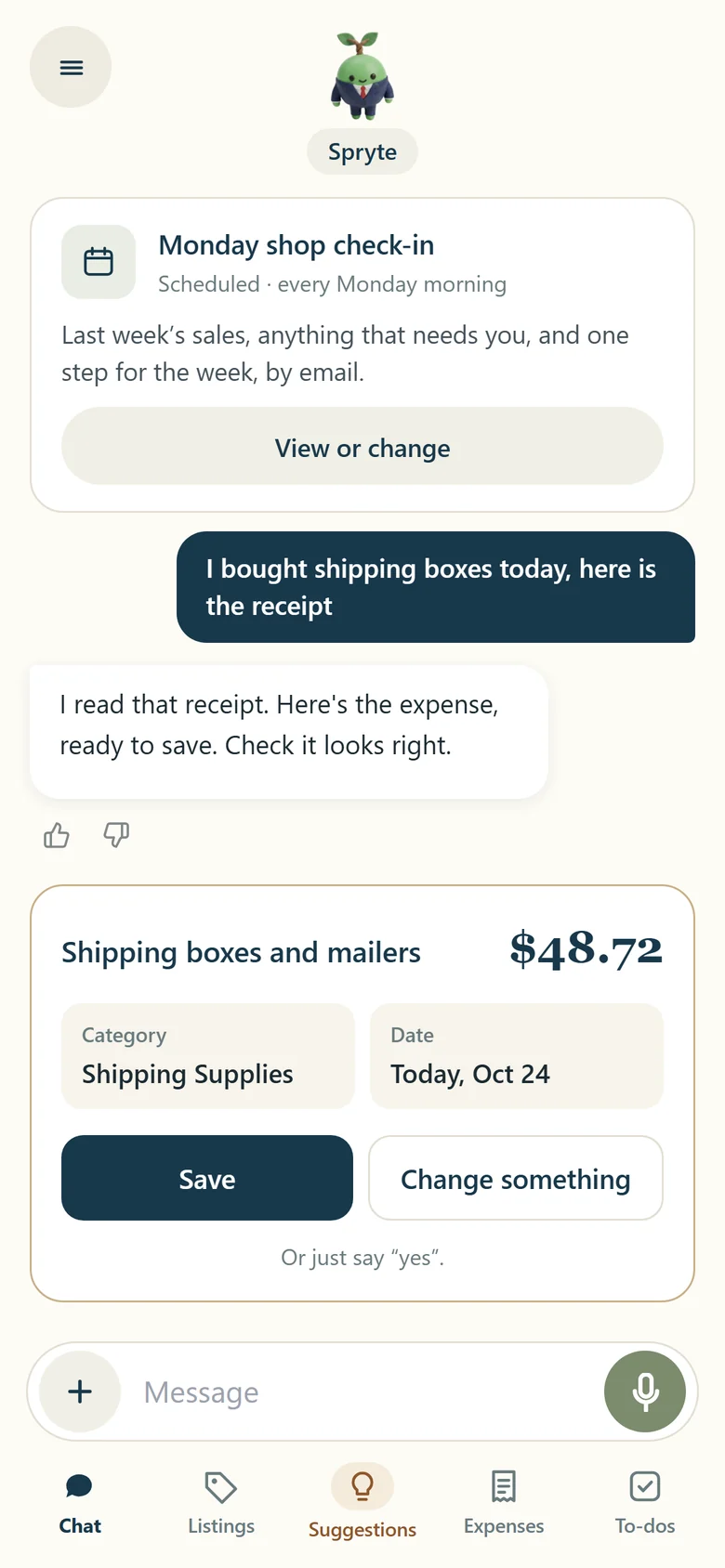
The card Spryte puts up after you say what you spent. Sample shop, not a real seller’s.
Spryte only fills the card in. You save it. Nothing moves your profit figure without your say so, and every expense stays yours to change or delete.
A coach with answers, not a dashboard with charts.
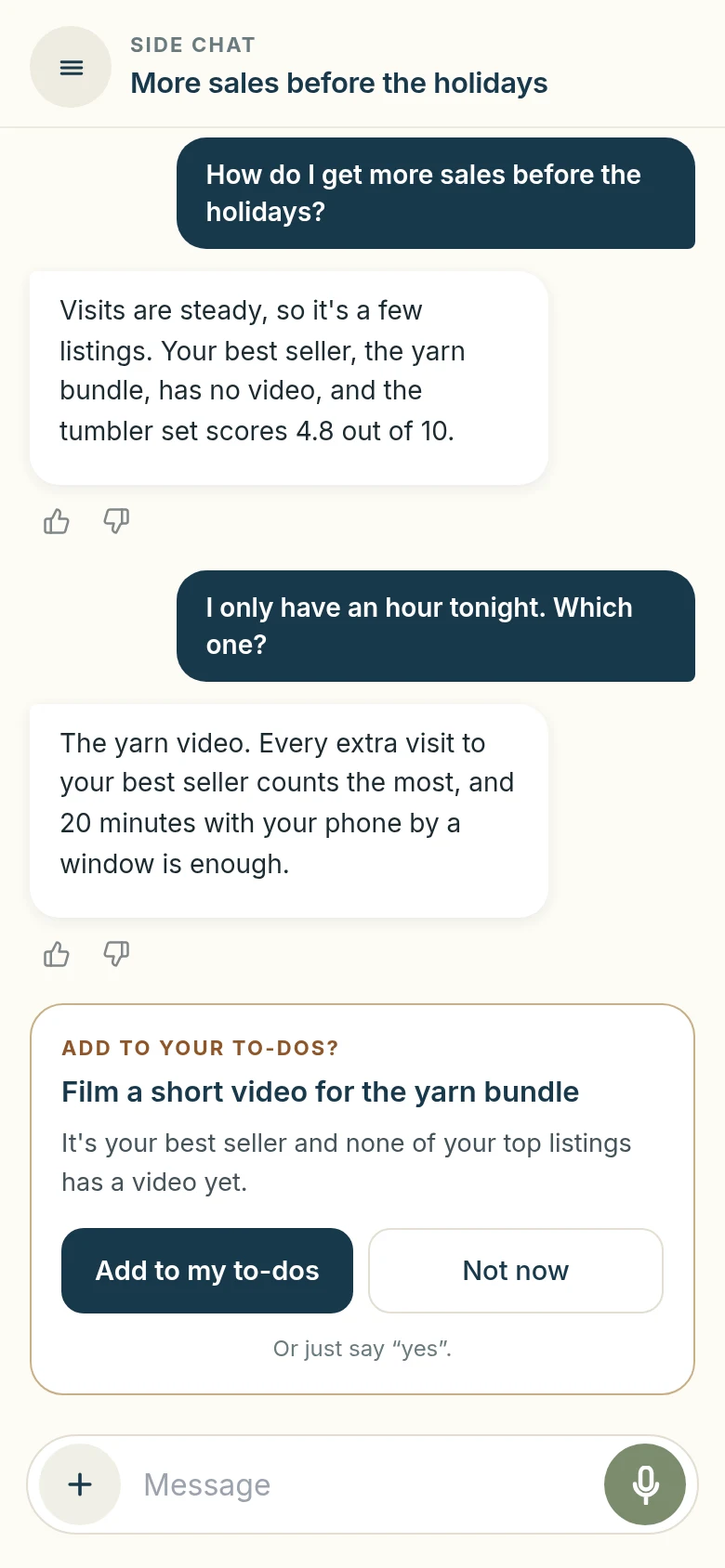
Six things sellers ask every week, and what Spryte does about each. These are the real screens, from a sample shop.
“How's this month going?”
Know where you stand, in one sentence
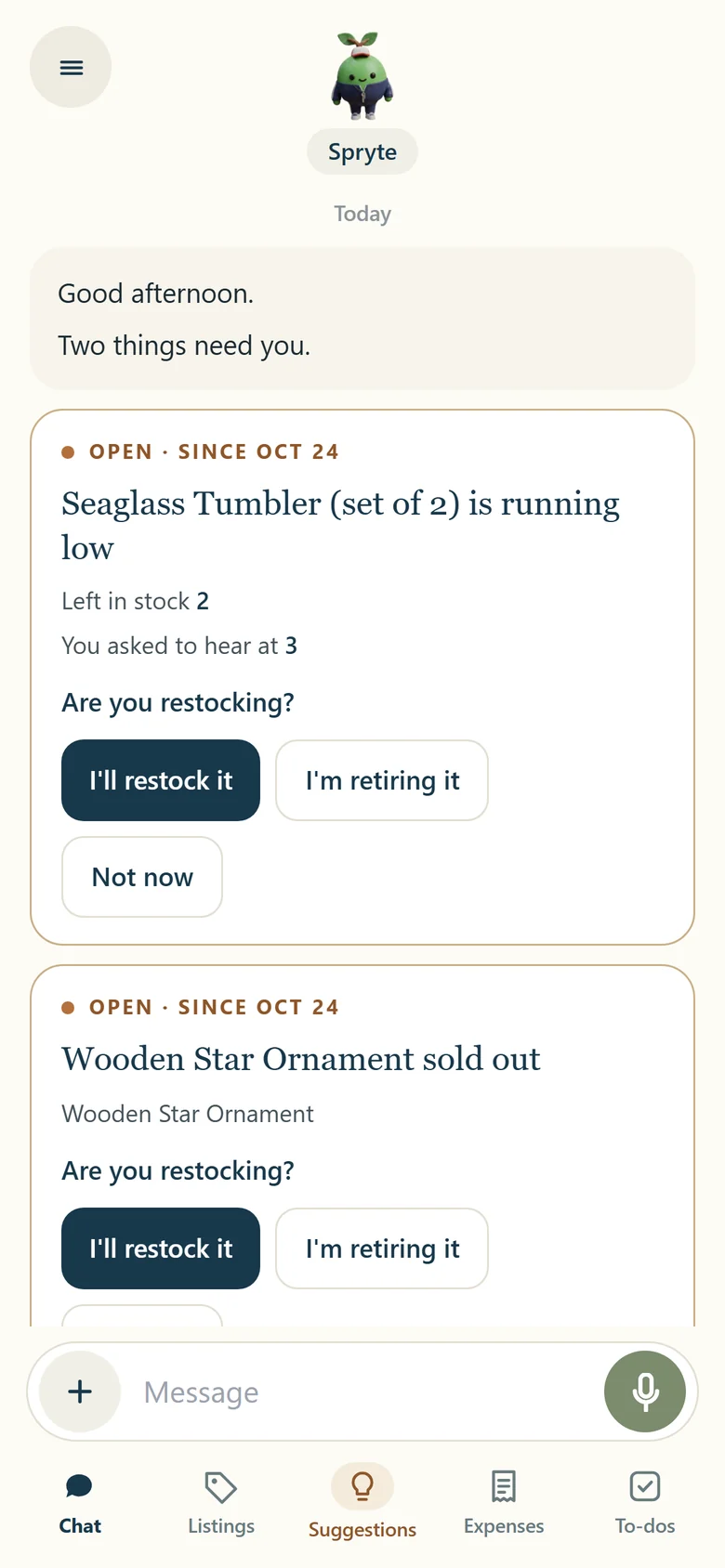
Open the app and Spryte speaks first: how the month is going, what's selling, and anything that needs a decision from you. If nothing does, it says so and leaves you alone.
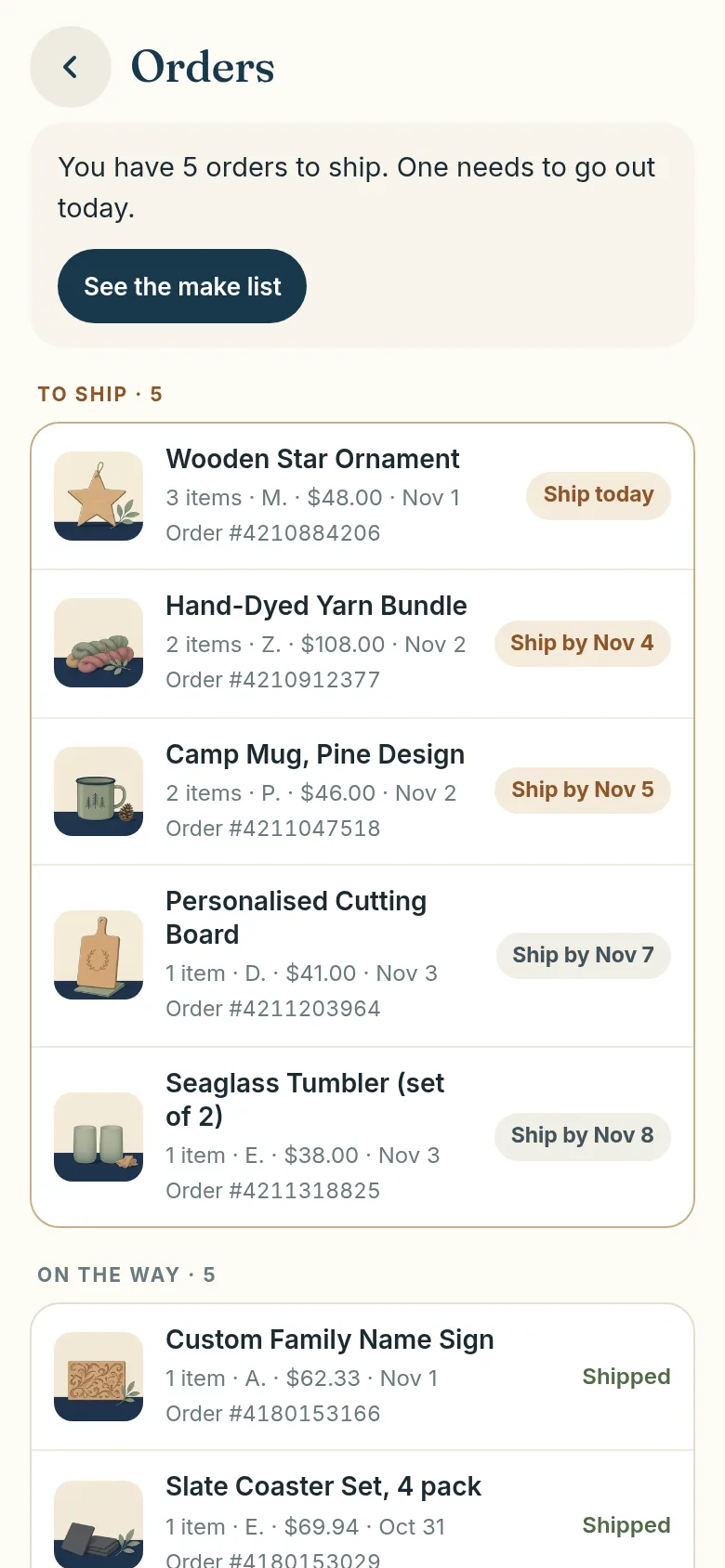
“What has to go out today?”
Ship the right order first
Every order waiting to ship, soonest first, with the ship-by date Etsy gave it. Open one and the personalization, the gift note and the buyer's note are together in one place, so nothing gets missed in the rush.
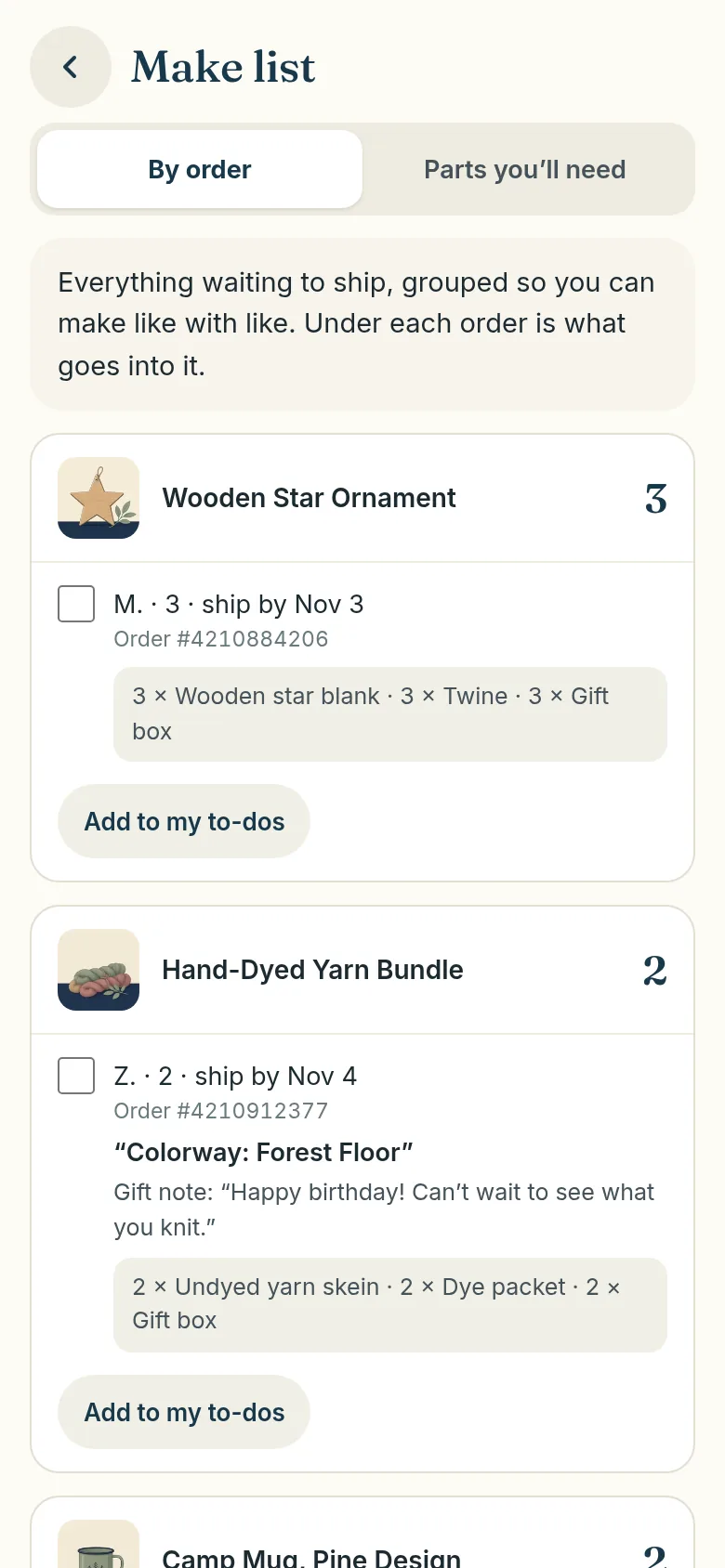
“What do I need to make this week?”
Make like with like
The make list groups everything waiting to ship by item, so you make all five ornaments in one sitting instead of order by order. Tick each one off as it's ready, or put the lot on your to-do list with one tap.
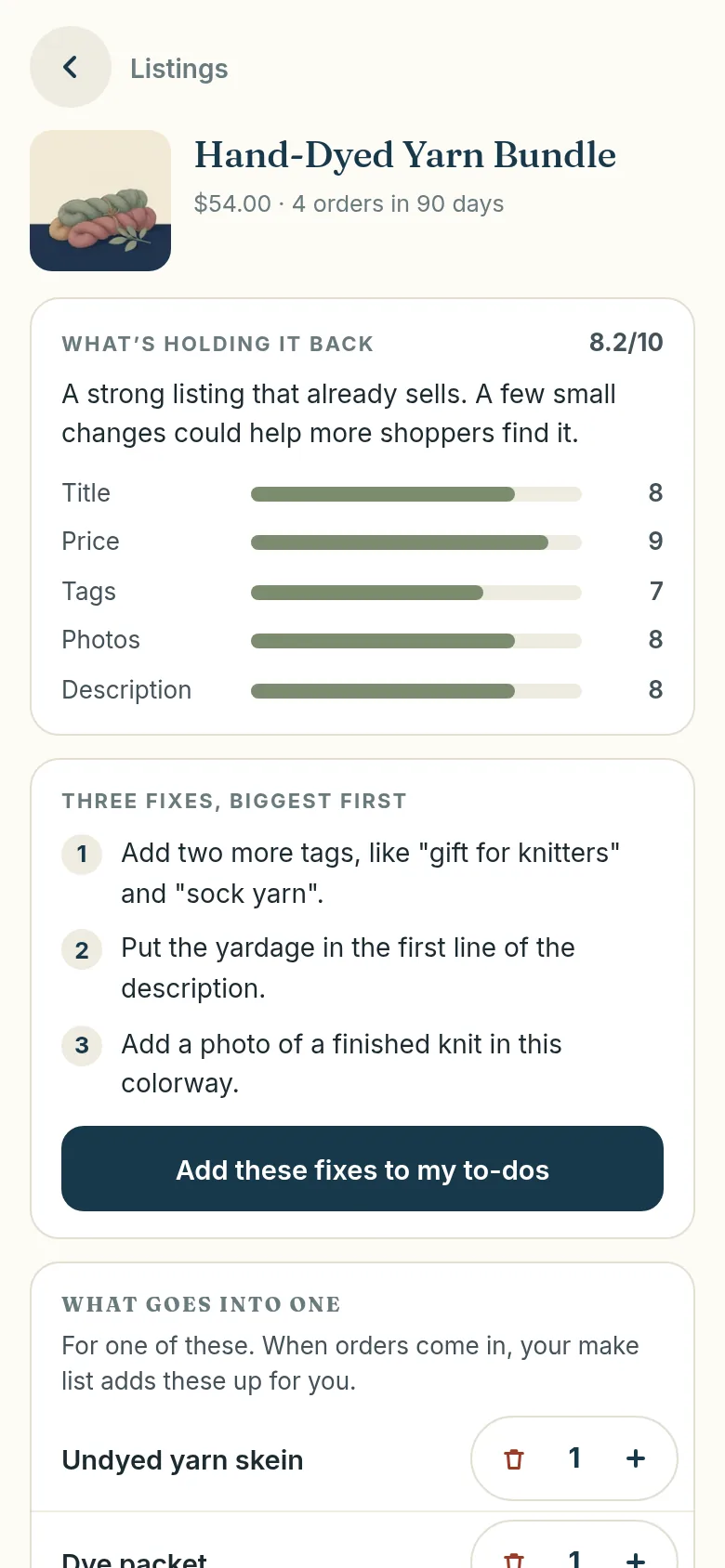
“Why isn't this one selling?”
Fix the right listing first
Every listing scored out of 10, with the three fixes that matter most on top. Not forty SEO tips. Three things, biggest first, and a button that puts them on your to-do list.
“How much did I actually keep?”
Know what's really yours
Sales is the number Etsy shows you. Spryte takes off Etsy's fees and the costs you tell it about, by typing, by talking, or by snapping the receipt, and tells you what you kept.
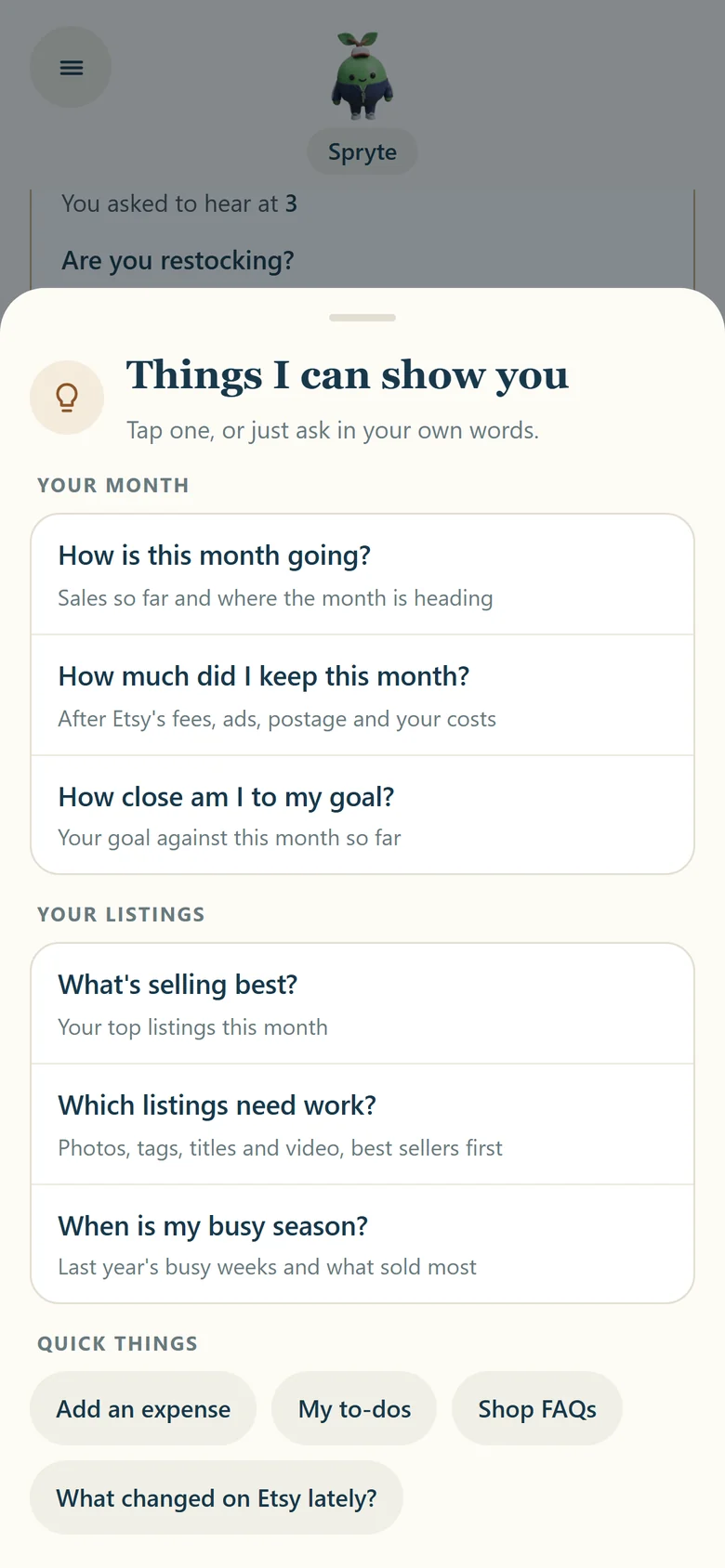
“When's it going to get busy?”
Get ready before the rush, not during it
Spryte learns your busy months from your own orders and brings them up while there's still time to make stock. Tap the light bulb any time for the questions worth asking this week.
Talk instead of type
Tap the microphone and say it. Spryte answers out loud, in a voice you pick from four.
Answer with one tap
A listing sold out, stock running low: each one is a card with easy answers, like "I'll restock it".
A to-do list that fills itself
Say yes to a suggestion and it lands on your list. Spryte asks first, every time.
Made for the seller who does it all.
mySHOP is for you if
- ✓You sell on Etsy and make every decision on your own
- ✓You want to be told what to do next, not shown another dashboard
- ✓You'd rather talk to your shop than learn a spreadsheet
- ✓You have about twenty minutes a day for "the business side"
It isn't for you if
- ✗You want to bulk-edit hundreds of listings at once
- ✗You want a keyword research database
- ✗You run several shops from one login
Those are jobs for a listing manager or a keyword tool, and some sellers use one of those alongside mySHOP. See how the tools compare.
Two minutes to connect. Spryte does the reading.
Connect your Etsy shop
Through Etsy's own sign in. Spryte can see your listings, orders and Etsy fees, and can't change anything in your shop.
Spryte reads your shop
The first time takes a few minutes. After that, Spryte keeps up with your new orders and listings for you.
A short chat about your goals
While Spryte reads, tell it what you'd love your shop to be and when your busy months are.
Spryte speaks first
Every time you open the app: a greeting, and anything that needs you as a card. If nothing does, Spryte says so.
One price. Everything in it.
Less than one coaching call a year. 7 days free, cancel anytime.
mySHOP
Your personal coach, every feature, voice included. No tiers, no credits, no per shop pricing.
Just $16.58/mo · Save 17%
Start free trial- ✓Ask Spryte anything about your shop, as often as you like
- ✓Every listing reviewed and scored, fixes first
- ✓What you really keep, after Etsy fees and your costs
- ✓Expenses by chat, voice or a photo of the receipt
- ✓Spryte speaks first when something needs you
- ✓Talk instead of type, in a voice you pick
- ✓Your Etsy orders and listings, always up to date
Card required · Cancel anytime · No contracts · Prices in USD
Good questions, straight answers
What is mySHOP?
mySHOP is an app that gives your Etsy shop a personal coach called Spryte. Spryte reads your Etsy orders and listings and tells you, in plain words, what's working, what to fix first and how much money you really keep. It's made for handmade and small Etsy sellers who want to grow without becoming a spreadsheet person.
How is mySHOP different from Etsy tools like eRank, Alura or Listadum?
Those are toolkits for doing the research yourself: keyword research, competitor tracking and, with some of them, editing lots of listings at once. They're great if you enjoy digging into data. mySHOP is a coach instead. Spryte looks at your own shop and tells you what it means and what to do next, in a friendly chat. Plenty of sellers use a keyword tool and a coach side by side.
Can mySHOP help me grow my Etsy shop?
It helps you spend your time on the things that make the biggest difference. Spryte scores each listing out of 10 and puts the most important fixes first, tells you how this month is really going, shows what you keep after Etsy fees and your costs, and reminds you before your busy season so you can stock up in time. Nobody honest can promise you sales, but you'll always know your next best step.
How does mySHOP work out how much I really keep?
Spryte starts with what each order sold for and takes away the Etsy fees on it, then the costs you tell it about, like supplies, packaging and postage. For a shop with a US bank account the main Etsy fees are $0.20 to list an item, a 6.5% transaction fee on the item price, shipping and gift wrap, and 3% plus $0.25 for payment processing. What's left is the money that's really yours.
Will mySHOP change anything in my Etsy shop?
No. You connect through Etsy's own sign in, and mySHOP asks only to read your shop, listings and orders. It can't edit, delete or publish anything. When Spryte suggests a better title or new tags, you make the change in Etsy yourself, so you always stay in charge.
How much does mySHOP cost?
You get a 7-day free trial, then it's $20 a month or $199 a year. Every feature is included, voice too, and you can cancel anytime. Our seller playbook and courses are free, no trial needed.
Do I need to be good with technology to use it?
Not at all. You talk to Spryte the way you'd text a friend, by typing or by tapping the microphone and speaking. There are no dashboards to learn and no charts to decode. mySHOP is on iPhone and Android.
Is mySHOP made by Etsy?
No. mySHOP is an independent app made by Greenstone Market LLC. It isn't affiliated with, endorsed by or certified by Etsy. It connects to your shop through Etsy's official sign in and Etsy's API.
Not ready for a trial? Take the playbook instead.
The 93-page Etsy Seller Playbook, free and with no card. How to get found, turn the traffic you already have into orders, and run ads that pay for themselves.
One email with the playbook. Unsubscribe any time.